Buying a used car in 2026 increasingly means buying data as much as metal. This updated September 2026 guide shows car‑buying enthusiasts how to use OEM telematics exports and OBD/CAN scans to verify a vehicle’s history, spot hidden problems and negotiate fairly. If you plan to buy a late‑model ICE, hybrid or EV, this article gives the specific tools, step‑by‑step checks and newest best practices you need right now.
Prerequisites and context: what’s changed since August 2026
Three practical shifts matter for buyers in Sept 2026:
- Broader OEM access: More manufacturers continue to expose owner‑level vehicle data through owner portals or data‑export features. Tesla, GM (myChevrolet/myGMC), and Ford (FordPass) remain clear examples; many others have added or piloted export tools for trip and charging logs.
- Vehicle networks are faster and more complex: CAN FD and higher‑speed domain buses are now common on late‑model vehicles. Modern OBD adapters that understand CAN FD and newer protocols return more accurate live metrics.
- Telematics exports are increasingly tamper‑evident: Many OEMs offer server‑generated, time‑stamped CSV/PDF exports or API downloads that include metadata (export time, vehicle VIN and a server signature) that help demonstrate authenticity.
What this means: buyers have more reliable data options—but they must know what to ask for, how to read the exports, and which tools actually work on modern vehicles.
Before you go: legal, tool and expectation checklist
Do this only with the seller’s informed consent. Unauthorized access can violate privacy rules or local law; always request the seller initiate any portal exports if necessary.
Essential tools (2026 update)
- CAN‑aware OBD interface: choose an adapter that supports CAN FD and automotive Ethernet if you’ll inspect 2020s+ models. Look for devices that explicitly list CAN FD support and signed firmware (examples: higher‑end adapters marketed to professional users; check vendor specs).
- Smartphone apps: general OBD apps (Torque Pro, OBD Fusion) plus model‑specific EV tools (Scan My Tesla, Leaf Spy Pro). For some OEMs, vendor‑specific diagnostic apps exist for purchase or subscription.
- Laptop & USB interface: useful when you need deeper module reads, export raw logs, or upload them to a specialist for interpretation.
- Account access guidance: seller’s account login is not required; instead ask the seller to export data from their OEM portal and email it to you, ideally in the original CSV/PDF format.
- Paper checklist & VIN: write down the VIN (VIN‑encoded module IDs are useful when comparing logs).
Step-by-step: Conducting the data verification
Step 1 — Prepare and request export before the meeting
- Message the seller clearly and professionally. Example: “Before a test drive, would you export and send the vehicle trip and charging logs from your owner portal (PDF/CSV) and allow an OBD scan during the test drive?” This sets expectations and filters non‑cooperative sellers.
- Ask for the raw export (server‑generated PDF/CSV). If the portal provides a signed or time‑stamped export, request that version — it’s harder to fake.
- If the seller says the vehicle is fleet‑managed or locked, ask for a written explanation. Fleet vehicles often restrict access; that’s a negotiation point.
Step 2 — Baseline OBD/CAN scan (5–15 minutes)
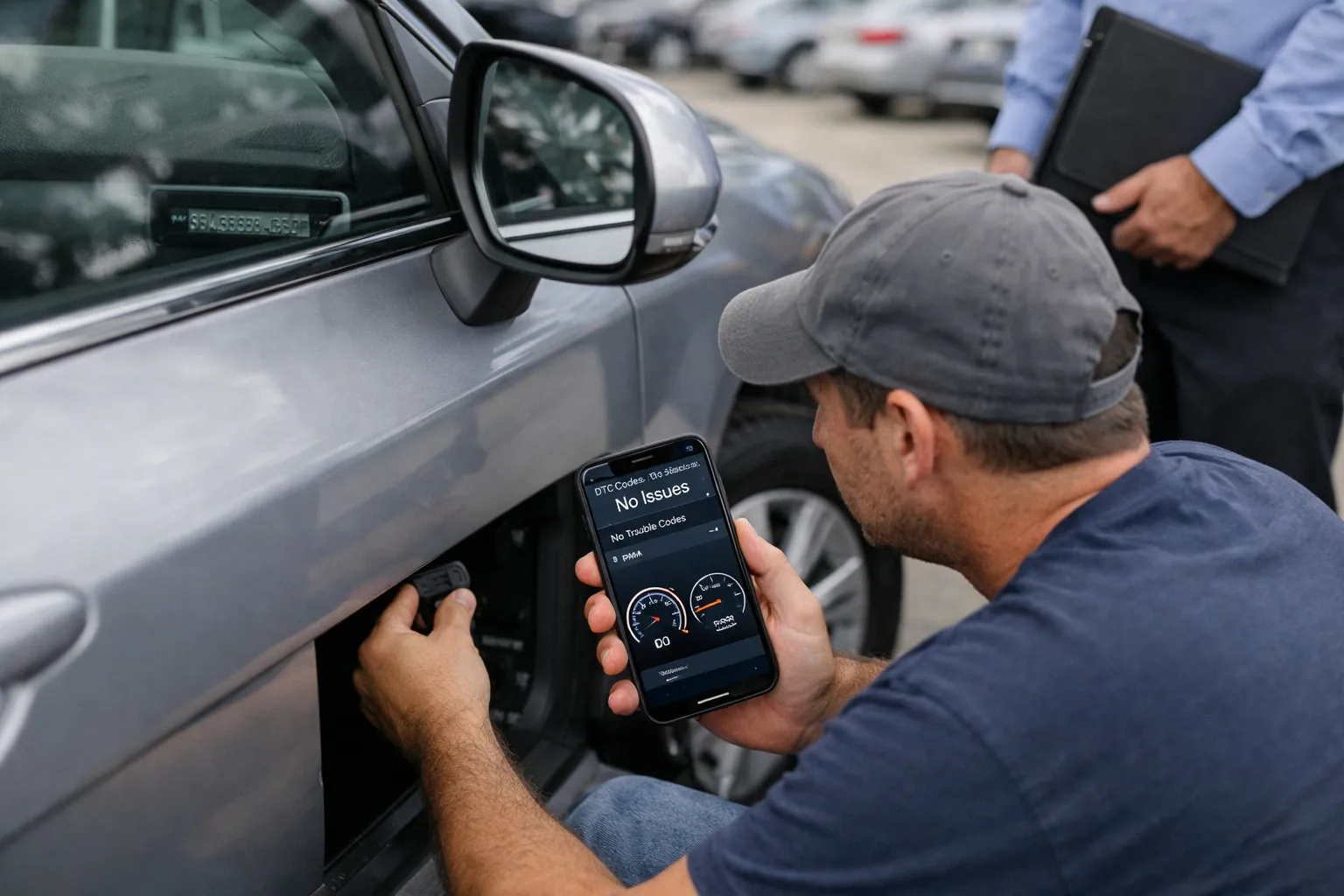
- Locate the OBD-II port and plug in your adapter. Use an adapter that supports CAN FD for late‑model cars; pair it to your phone or laptop.
- Run a full scan: retrieve current and stored DTCs (Diagnostic Trouble Codes), freeze‑frame data, module information (module part numbers and module‑logged mileage where present). Export screenshots and a machine report (PDF/CSV) where possible.
- Record the instrument cluster odometer and compare to module‑ledger mileage (if any). If any powertrain module’s logged mileage is substantially different from the cluster, treat that as a red flag and document it with screenshots.
Step 3 — Interpret OBD results (what to focus on)
- Stored DTCs: Even if the Check Engine Light is off, stored codes often indicate recurring issues. Codes for misfire (P03xx), emission control (P04xx series EVAP), and charging/pack errors (manufacturer‑specific codes on hybrids/EVs) require attention.
- Freeze‑frame data: Shows conditions when a fault occurred—look for high coolant temp, low oil pressure, or abnormal battery module temps recorded at fault time.
- Long‑term fuel trim & misfire counts: Sustained fuel‑trim deviations or repeated misfires under light load point to mechanical issues rather than transient sensor glitches.
- Module‑level VINs: Verify that key modules (ECU, TCU, ABS) show the same VIN as the vehicle. Module VIN mismatches can mean module replacement after an accident.
Step 4 — Live test‑drive checks
Run these checks while you drive:
- Watch coolant and oil‑temperature curves: modern engines stabilize within several minutes; large swings can indicate thermostat or cooling issues.
- Monitor misfire counters and fuel‑trim behavior while accelerating and cruising.
- For turbo cars, watch boost pressure for consistent behavior; surging or overboost can indicate wastegate or control issues.
- EV checks: monitor State‑of‑Charge (SOC) vs indicated range across a short drive. For apps that expose cell‑level voltage, watch for large cell‑to‑cell deltas during charging or heavy discharge—wide spreads indicate pack imbalance.
EV‑specific updates and checks
EV buyers should expect richer telematics but also different failure modes.
- Charging session logs: Newer charging networks and OEM portals record plug times, kWh delivered, and connector type. ISO 15118/Plug&Charge adoption has improved charging logs’ fidelity since 2024; use those logs to count frequent DC fast‑charge events (which accelerate wear).
- SOH and range behavior: Some OEM portals and third‑party tools publish pack SOH estimates; treat values (e.g., 80–90%) as directional. Context matters: climate, software‑limited range modes, and recent reconditioning affect SOH readings.
- HV battery repair economics: A full pack replacement can range widely depending on model—buyers should plan for several thousand to low‑five figures in outlays for older packs outside warranty. Always verify remaining warranty coverage and transferable terms before purchase.
Reading telematics exports: what to request and how to validate
Telematics exports differ by OEM, but useful fields include trip start/end times, start/stop miles, charging sessions (kWh, duration), and logged diagnostic events.
- Request the original CSV/PDF and any metadata (export timestamp, account ID). A server‑generated export is more reliable than a screenshot.
- Validate timestamps and time zones—mismatched timestamps can hide event sequences.
- Match trip odometer deltas to the instrument cluster and module logs. Reconcile any unexplained gaps longer than months—long off‑grid periods following repairs are suspicious.
Red flags and recommended responses
- Multiple recent stored powertrain or airbag DTCs: ask for repair invoices and a PPI; consider walking away if the seller can’t document repairs.
- Module VINs that don’t match the vehicle VIN: request explanation and receipts for module replacements; lack of documentation is a strong negotiation point.
- EV pack SOH substantially below peers for age/miles or frequent DC fast charging on telematics: obtain a specialist battery report and adjust price accordingly.
- Seller refusal to provide OEM exports or allow an OBD scan: treat refusal as high risk unless a legitimate reason (fleet lock, corporate policy) is documented in writing.
How to use data in negotiation (exact phrasing)
Be specific, documented and reasonable. Present the export and OBD screenshots, cite independent repair estimates, and propose a concrete adjustment. Example phrasing:
- “The manufacturer export shows 82 DC fast‑charge sessions and a battery SOH estimate of 84%. Based on a battery specialist quote to recondition and balance, I’m offering $2,500 less.”
- “OBD shows stored misfire codes and module‑VIN mismatch for the transmission module. Can you provide the repair invoice or will you accept $1,200 off to cover inspection and potential repairs?”
Final documentation and verification steps
- Save all screenshots, the original telematics export and OBD reports as PDFs. Use cloud storage and note timestamps and the device/app used.
- Schedule a pre‑purchase inspection (PPI) with a shop that can interpret OEM telematics and run a manufacturer‑level diagnostic where possible.
- Confirm title status and ask for any manufacturer buyback or lemon law history. Combined data + PPI + title checks form the strongest basis for a decision.
Common mistakes buyers make
- Relying only on a quick visual inspection and ignoring stored DTCs that indicate recurring faults.
- Accepting screenshots instead of the original server export—screenshots are easy to edit.
- Using a generic OBD adapter that doesn’t support CAN FD on late‑model cars, yielding incomplete or misleading data.
- Interpreting SOH or a single low‑range incident as definitive without context (climate, recent trips, or calibration differences can change short‑term readings).
Pro tips from technicians and data specialists
- Always ask for a server‑signed telematics export when available; it’s the closest thing to a tamper‑evident record for consumer buyers.
- Take the OBD scan report to the PPI shop before their inspection—it lets the mechanic focus on probable faults and saves time.
- For EVs, request recent charging invoices or charging network account summaries if available—these corroborate telematics counts of DC fast charges.
- If module‑level mileage differs by only a few hundred miles, get documentation—module replacements sometimes reset embedded counters legitimately; absence of receipts is the concern.
Limitations and legal notes
Data aids decisions but is not absolute. OBD and telematics may not reveal bodywork after module replacement, nor can they predict all future mechanical failures. Laws and OEM policies about telematics exports differ by jurisdiction and manufacturer—when in doubt, have the seller export and provide the data from their account. Respect privacy: do not demand the seller hand over unrelated personal trips, and redact sensitive location data if shared beyond the purchase context.
Quick checklist to bring to every used‑car appointment (2026)
- CAN‑aware OBD adapter + phone with scanning apps installed
- VIN written down and requested OEM export sent ahead
- Cloud folder ready to upload screenshots and export files
- List of local PPIs experienced with the vehicle make/model
- Scripted negotiation notes with repair‑cost estimates
Bottom line
Telematics exports and modern OBD/CAN tools give buyers more actionable evidence than ever in 2026. The keys to success: request original OEM exports, use CAN‑capable interfaces on late‑model cars, document module‑level mileage and DTCs, and pair data with a competent PPI. When used properly, these steps reduce uncertainty, expose hidden defects and provide hard evidence for negotiation—while respecting privacy and legal limits.
FAQ
Can a seller refuse to provide telematics exports?
Yes. Sellers can refuse, and fleet or dealer demo vehicles may restrict access. A refusal is not automatic proof of wrongdoing, but it is a negotiation factor: either the seller should explain why or you should treat the lack of data as increased risk and price accordingly.
Are OBD scans legal during a private sale?
Yes, with the seller’s consent. Scanning without permission can violate privacy or local rules. Always ask first and, if needed, ask the seller to run exports from their OEM account instead of handing over credentials.
How reliable is EV SOH shown in third‑party apps?
Third‑party SOH estimates are directional and vary by tool and access level. Manufacturer diagnostics are generally more authoritative. Use third‑party SOH as a screening tool and confirm with a battery specialist or manufacturer diagnostic if it’s material to your purchase decision.
What if module mileage doesn’t match cluster mileage?
Small discrepancies (a few miles) can be benign; large differences (thousands of miles) usually require documentation. Ask for repair receipts showing module replacement and verify the VIN on replaced modules. Absence of paperwork is a red flag.
Which OBD adapters should I avoid?
Avoid adapters that don’t list support for CAN FD or newer automotive protocols when inspecting 2020s+ cars. Cheap, no‑name dongles also often lack firmware updates and can misreport values. Favor well‑documented devices from reputable vendors and check recent user reviews for compatibility with your target vehicle.